Georeferencing

What is Georeferencing?

  • Georeferencing is the process by which real-world locations ascribed to data.
  • Ground Control Points or GCPs are how we tell the computer which points on the non-georeferenced image correspond to real-world coordinates.
  • A Tranform then applies translation , rotation, etc… to warp the image to fit.

Example: Swanton Ranch Treasure Map

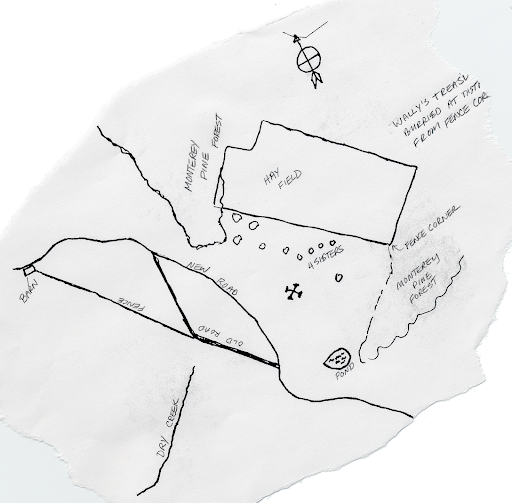
Download the Swanton Ranch treasure_map.tif. Put it someplace sensible.
What Is A TIF

  • A tif is a container format
  • It stores image pixels plus tags (metadata)
  • Compression of the image inside the container can be: none, lossless (LZW, Deflate, etc…), or JPEG
  • A GeoTIFF is a TIFF with georeferencing tags
  • A regular TIFF lacks georeferencing tags

Normal TIFs, No Georeferencing

This is just a regular tif, but we want to use it in a GIS program

Georeferencing In A TIF

  • Pixel grid: rows/columns only (x,y)
  • No real-world location yet
  • GeoTIFF adds tags that map pixel space to map space
  • Key tags: CRS + affine transform

(col,row) + GeoTIFF tags -> (lon,lat) or (easting,northing)

So georeferencing is stored in metadata, not drawn into pixels.

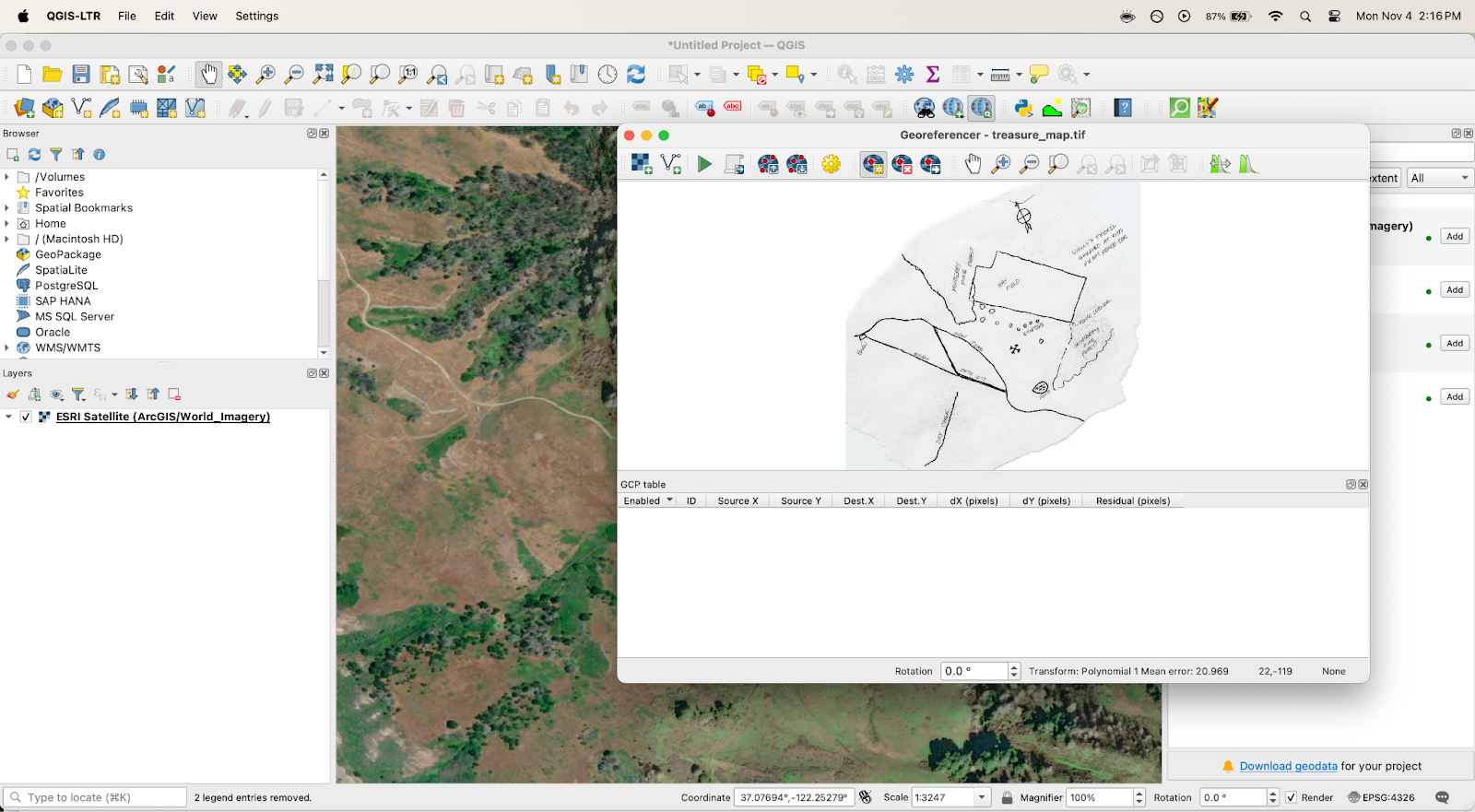
Tutorial: Geoferencing the Treasure Map

  1. Open QGIS
  2. Open Georeferncer (Layer > Georeferencer)
  3. Open the raster (this button )
  4. Select treasure_map.tif

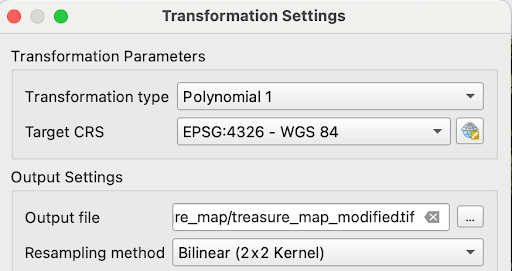
  • Open Transformation Settings
  • Select Polynomial 1 for Transformation Type
  • Set output file
  • Click ok

Can anyone find where (in Swanton) our treasure map might correspond to?

What geographic features are helpful for identifying?

  • Once you find the place:
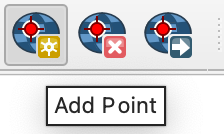
    • Add GCPs
    • Click a point on the image
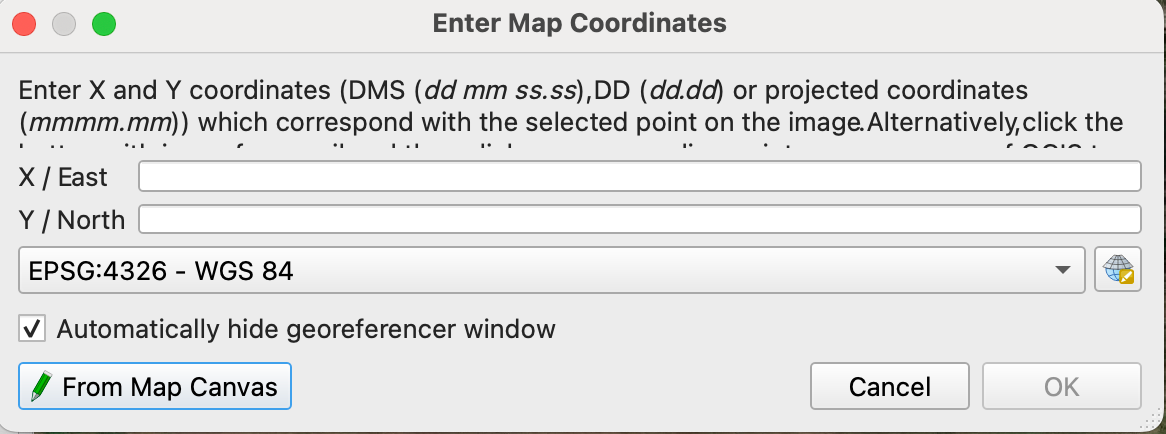
    • The Enter Map Coordinates box should pop up
    • Select the From Map Canvas button
    • Click point
    • Click ok
    • Repeat 4x

Georeferencer dialogue should look like this:
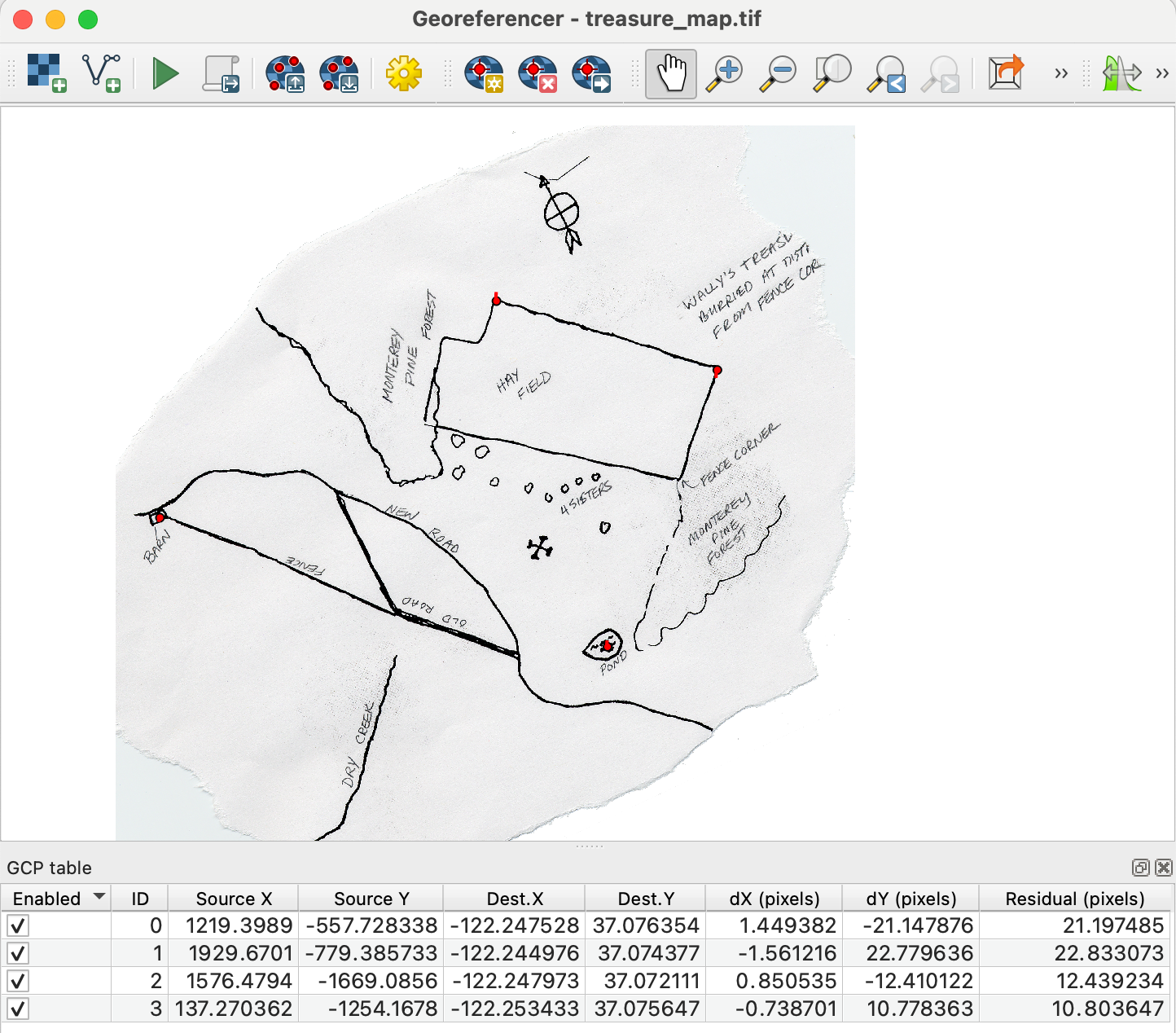
Click Run

Inspect the result - turn on transparency

Lab 15

Georeferencing Assignment

  • Try again
  • Experiment with different transformations / resampling techniques
  • Add more GCPs

Answer the following questions:

  1. As you add more GCPs initially the accuracy increases rapidly, at some point, adding new points starts to make less of a difference. Based on this how many GCPs do you think is enough.
  2. Were you able to notice any difference using different transformations and resampling techniques? Which do you think worked best?
  3. In the Georeferencing tool, when you run the transform, there is a column called Residual. What is this, how might it be useful. How does your choice of CRS affect the utility of this information?
  4. Include an image of the georeferenced map overlaying the basemap, (with enough transparency to see the alignment, also include your GCPs)